
MK999 Game Withdrawal Process – Easy Guide for New Players
Winning money on the MK999 game is exciting. But many new players get confused when it’s time to take that money out. Don’t worry, the withdrawal process is simple once you know the steps.
This guide breaks it down in easy language, so even a first-time player can follow along.
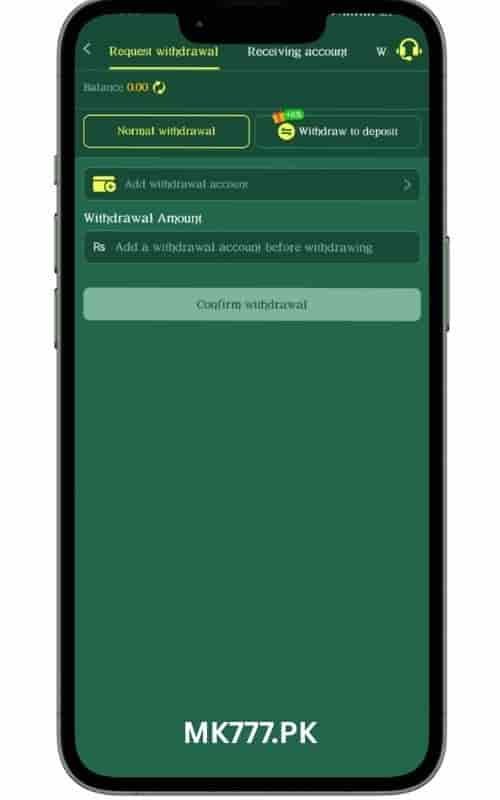
Quick Overview Withdrawal Process
|
Step |
What You Do |
|---|---|
|
1 |
Log in to your MK999 game account |
|
2 |
Go to the Wallet section |
|
3 |
Tap Withdraw |
|
4 |
Complete KYC verification |
|
5 |
Choose a payment method |
|
6 |
Enter the amount |
|
7 |
Confirm and submit |
|
8 |
Wait for processing |
Step 1: Log In to Your Account
Open the MK999 app or website. Enter your username and password. Make sure your app is updated to the latest version so nothing glitches during withdrawal.
Step 2: Find the Wallet Section
Once inside, look for the Wallet or My Account icon. This is where your balance, deposits, and withdrawals all live. Tap on it to open your dashboard.
Step 3: Tap the Withdraw Button
Inside the wallet, you’ll see a clear Withdraw button. Tap it to start the process. This takes you to a new screen where you enter your payment details.
Step 4: Complete KYC Verification
KYC stands for “Know Your Customer.” It’s a safety check most gaming platforms use. You may need to upload:
This step is important. Skipping it can delay your withdrawal, so complete it as soon as you sign up, not just when you want to cash out.
Step 5: Choose a Withdrawal Method
MK999 game usually supports a few common options:
Pick whichever method you used to deposit. Many platforms require this for security reasons.
Step 6: Enter the Withdrawal Amount
Type in how much you want to withdraw. Check the minimum withdrawal limit first, most platforms won’t process very small amounts. Also check if there’s a maximum daily limit.
Step 7: Confirm and Submit
Double-check everything: your bank details, the amount, and the payment method. One small typo can cause delays. Once everything looks right, hit Confirm.
Step 8: Wait for Processing
Withdrawal times can vary:
|
Method |
Typical Time |
|---|---|
|
Cryptocurrency |
A few minutes to a few hours |
|
Bank Transfer |
20 to 30 Minutes |
|
Easypaisa Account |
5 to 10 Minutes |
You can track your request under Transaction History in your wallet.
Tips for a Smooth Withdrawal
Final Thoughts
The MK999 game withdrawal process isn’t complicated. Log in, go to your wallet, verify your identity, pick a payment method, and confirm the amount. Follow these steps carefully, and your winnings will land in your account without any stress.